Infinity Scalper - super accurate buy/sell indicator for M1 & M5

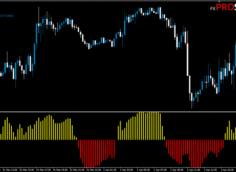
Infinity Scalper is a histogram-based indicator that sits in the lower chart window — a color change signals a potential trend shift and a possible trade. It comes with both popup and email alerts. According to developer Karl Dittmann, the indicator is highly accurate and doesn't repaint.
Characteristics of Infinity Scalper
- Official website: infinityscalper.net
- Platform: Metatrader4
- Currency pairs: Any, recommended major
- Trading Time: Around the clock, recommended European and American sessions
- Timeframe: Only M1 and M5
- Recommended broker: InstaForex | XM | RoboForex
One important thing to flag before you install this: this is a "cracked" distribution of a paid indicator, and it requires an activation code that periodically expires. When that happens, the indicator doesn't just stop working — it force-closes your entire MT4 terminal. If you rely on MT4 for other active trades, be aware that this indicator could shut down your terminal unexpectedly. For guaranteed reliability, the original licensed version doesn't have this issue.
Rules of the trade
BUY — a green bar appears, with an alert suggesting Stop Loss and Take Profit levels.
SELL — a red bar appears, with the same type of alert (more on this below).
EXIT (two options): either wait for the opposite signal (1), or exit early when a yellow bar appears, marking the optimal exit point (2).

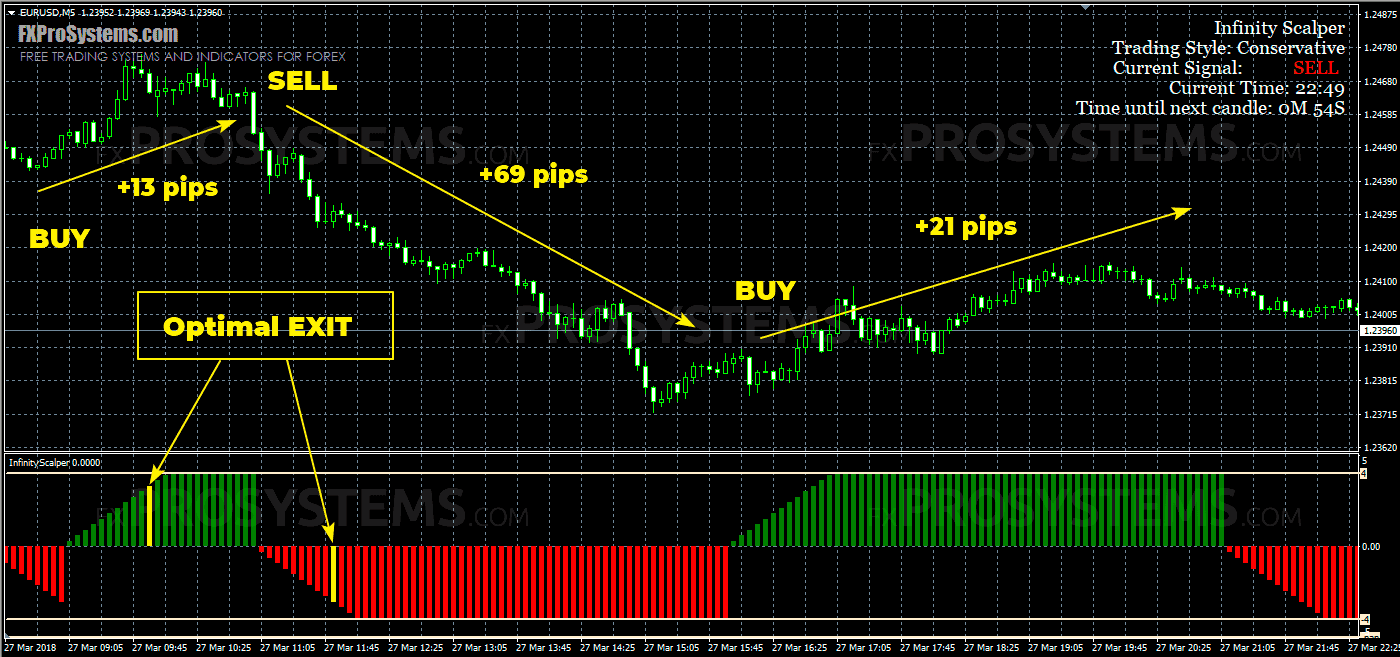
To set Stop Loss there are also 2 options:
- Stop Loss is established according to the standard scheme: several pips above / below the local price minimum / maximum (the nearest support / resistance level)
- Stop Loss is set based on the readings of the indicator's pop-up alert (more on this below)
A few examples from the author:
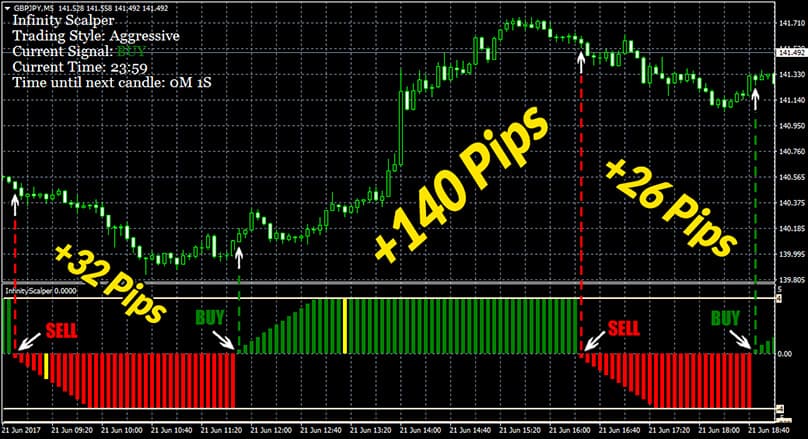
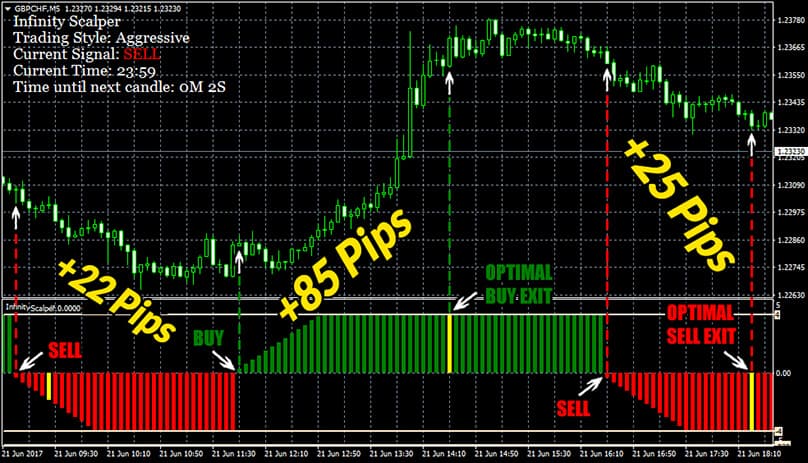
See also the video demonstration:

The alert of the Infinity Indicator carries information about the type of signal, the entry point and the TakeProfit and StopLoss levels:

In the indicator settings, you can select 4 options for trading with a risk in ascending order (TradingStyle):
- Conservative
- Medium
- Aggressive
- Custom (Period Setting)
I recommend using this indicator only in the Conservative mode and only on the demo account. Needs additional filters, such as this one.
In the archive Infinity_Scalper.rar:
- InfinityScalper.ex4
- Infinity Scalper template.tpl
Free Download Infinity Scalper

or






 Thanks for the source. Hope it benefits all.


