Atomic Analyst - accurate Price Action Indicator

Atomic Analyst is a non-repainting forex indicator built on Price Action strength and momentum, with solid filters for weeding out false signals and a nicely implemented Smart Panel — the sound effects, in particular, are a nice touch. The official price tag is $200; here, as always, it's free.
Characteristics of the Atomic Analyst Indicator
- Platform: Metatrader4
- Currency pairs: Any currency pairs, recommended EURUSD, AUDUSD, XAUUSD
- Trading Time: Any trading sessions
- Time Frame: Any, recommended H1
- Recommended broker: ICMarkets | XM | VT Markets - excellent for GOLD
How does it work?
In the description on the seller's website there is information that Atomic Analyst MT4 Indicator is based on PA Price Action Indicator that uses Strength and Momentum to find market entry points. I haven't verified this myself, and honestly, there's not much practical value in doing so. If you're curious enough to dig into it, feel free to share what you find in the comments below.

A quick installation note: on some current MT4 builds, attaching the indicator the standard way (drag-and-drop, then click OK) doesn't work — the OK button simply doesn't appear in the settings window. If this happens to you, don't try to force it through the normal dialog. Instead, either use MT4's Navigator to launch it directly, or load the included Atomic Analyst.tpl template file onto your chart (right-click chart → Template → Load Template) — both methods bypass the issue entirely.
The developer offers us a choice of 2 trading strategies based on this indicator (more details can be found in the User Manual, which is in the archive with the indicator):
- Active trading
- Passive trading with using VPS
The indicator has advanced filters, which are able to get rid of false signals, making trading even more profitable.
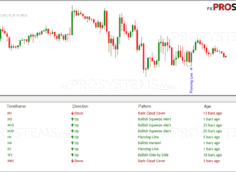
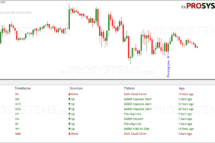
Special attention should be paid to the Smart Panel, where you will find information about the current trading session, trading account status, spread, bid and ask prices, trading statistics. There is a multi timeframe filter, which will show the direction of the current trend on different timeframes in the appropriate color. Button to turn alerts on and off:

Settings of the Atomic Analyst
Indicator settings mainly affect only the visual design and display of the panel and signals, the type of arrows and their color.
The indicator signals are affected by only one parameter - Price Strength (more details in the User Manual, which is available in the archive with the indicator).
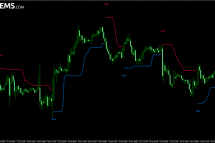
The indicator displays both signal arrows and Take Profit targets and Stop Loss levels on the chart.
A short video review of the Atomic Analyst Indicator:

Conclusion
In practice, a trader just has to wait for a signal and enter the market — simple and clear. How profitable it turns out to be in real conditions is something only live testing on a demo account can answer. Once you've seen it perform well there and built up some hands-on experience with it, only then should you consider moving to a real account — and even then, with a level head and disciplined money management. Do not invest in forex trading the money that you can not afford to lose. And may the profit be with you!
In the archive Atomic_Analyst_Indicator_МТ4.rar (5.01 M):
- Atomic Analyst.ex4
- Atomic Analyst.tpl
- The Atomic Analyst User Manual.pdf
Required: To avoid problems when installing on a chart, be sure to use a template Atomic Analyst.tpl
Free Download Atomic Analyst Indicator