Entry Points Pro - accurate indicator for MT4
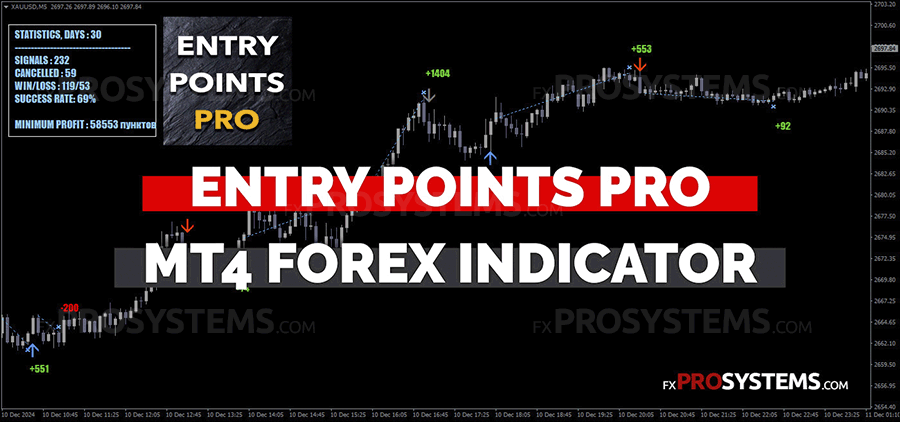
Entry Points Pro is a versatile MT4 indicator suited for currencies, crypto, metals, stocks, and indices across timeframes from M1 to D1. The seller markets it as the ideal tool for pinpointing trade entries, claiming it boosts success rates for every trader who uses it. It doesn't repaint, though there's a nuance to how signals actually form (more on that below, or in the video). One odd detail: it generates entry signals during upward, downward, and sideways price movement — that last one is a bit strange, since a flat, directionless market isn't exactly when you'd expect a reliable entry signal.
Characteristics of the Entry Points Pro v.7.5
- Platform: Metatrader4
- Indicator version: 7.5
- Currency pairs: Any currency pairs, recommended major, cryptocurrencies, metals, stocks, indices
- Trading Time: Any trading sessions, recommended London and New York
- Time Frame: Any
- Recommended broker: Roboforex | XM | Tickmill
Rules of the trade
Entry Points Pro MT4 Indicator, like the previous one, which we have considered in this post, has an information panel with brief statistics of previous signals. But I wouldn't count on it too much, as the indicator considers a signal with Take Profit of even a few pips to be profitable, which in real trading would rather bring a loss.
The author assures us that the indicator signals are not repainted. However, this is not quite true - on a signal candle, the arrow can disappear if the price goes in the opposite direction. But after the signal candle has closed and the arrow has not disappeared, the signal is considered to be formed and you can enter the trade, i.e. enter on the next candle if the arrow has not disappeared. See this video for a clearer picture:

Thus, open a Buy or Sell order on the next candle if the arrow has not disappeared.
Example of a Buy signal:

Example of a Sell signal:

In addition, if you watched the video carefully, the seller recommends not to open a trade immediately, but to place a pending order (Buy Stop or Sell Stop) slightly above the maximum of the signal candle for Buy Stop and slightly below the minimum of the signal candle for Sell Stop.
At the same time, it is recommended to place Stop Loss according to the classical scheme - a few pips above/below the previous price minimum/maximum.
Take Profit - based on indicator signals or when the opposite signal appears, or fixed (selected individually for each pair and timeframe based on testing).
The seller's own tagline — "the best point to enter a trade is the beginning or continuation of price movement in a certain direction" — states the obvious, but it does quietly confirm what you'd suspect: like most indicators of this type, this one is trend-following at heart and performs best when the market actually has direction.
Conclusion
I didn't see any outstanding potential for profitable trading in this indicator, but with a competent approach in conjunction with additional filters, resistance support levels, reasonable money management and preliminary testing on a demo account, Entry Points Pro can be profitable.
For a different entry-signal approach worth comparing, see our review of JBR Trend Indicator.
In the archive Entry_Point_Pro_Indicator.rar (140.3 KB):
- Entry Points Pro IND_fix.ex4
- Entry Points.tpl
Free Download Entry Points Pro MT4 Indicator


