Ultimate Arrows — Buy/Sell Signals
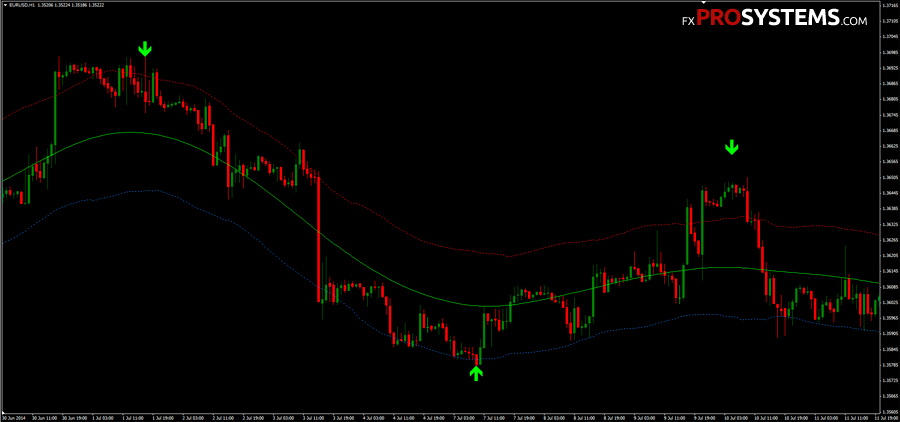
Ultimate Arrows is a signal indicator that asks almost nothing of the trader — it draws an arrow on the chart, and you follow it. Signals don't appear often, but the indicator is versatile enough to run on any currency pair and any timeframe from M5 upward.
That simplicity is exactly why it's remained popular since 2014 — and exactly why it's worth understanding its one real limitation before you trade with it.
Сharacteristics of Ultimate Arrows
- Platform: Metatrader4
- Currency pairs: Any
- Trading Time: Around the clock
- Timeframe: M5 and above (H1 and above recommended for fewer repaints)
- Recommended broker: Roboforex | VT Markets | XM
A word of caution: this indicator repaints
Ultimate Arrows is built on a ZigZag-style calculation. ZigZag indicators work by connecting confirmed swing highs and lows — but a "swing high" or "swing low" can only be confirmed once price has moved far enough past it in the opposite direction. Until that happens, the most recent arrow is provisional: if price makes a new, more extreme high or low before reversing, the indicator redraws — shifting or deleting the earlier arrow entirely.

This isn't a bug or a flaw specific to this indicator; it's how every ZigZag-based tool behaves, non-repaint marketing claims aside. Several users have confirmed this directly in the comments below: the arrows will always redraw as new swings form, and the indicator leaves no permanent record of past signals the way a true non-repaint tool would.
Does that make it useless? No — but it changes how you should use it. Treat every arrow as provisional until the swing behind it is confirmed, not as a signal to enter the instant it appears. Traders who've had success with this indicator over the years report using it specifically for swing entries on H1 and above (repainting becomes a much bigger problem on lower timeframes, where swings form and reform constantly) and pairing it with a second, confirming indicator rather than trading the arrows in isolation.
How to use it in practice
The default settings work, but it is probably possible to achieve better results adjusting the underlying ZigZag parameters — the depth, deviation, and backstep values that control how far price needs to move before a swing is confirmed. Two commonly recommended alternatives to the defaults:
- 63 / 1 / 13 — wider swings, fewer but more reliable signals
- 60 / 5 / 3 — tighter swings, easier to catch entries but more prone to repainting
If you want fewer false signals, start with the wider settings and increase the timeframe rather than trying to force the indicator to work on M1–M5.
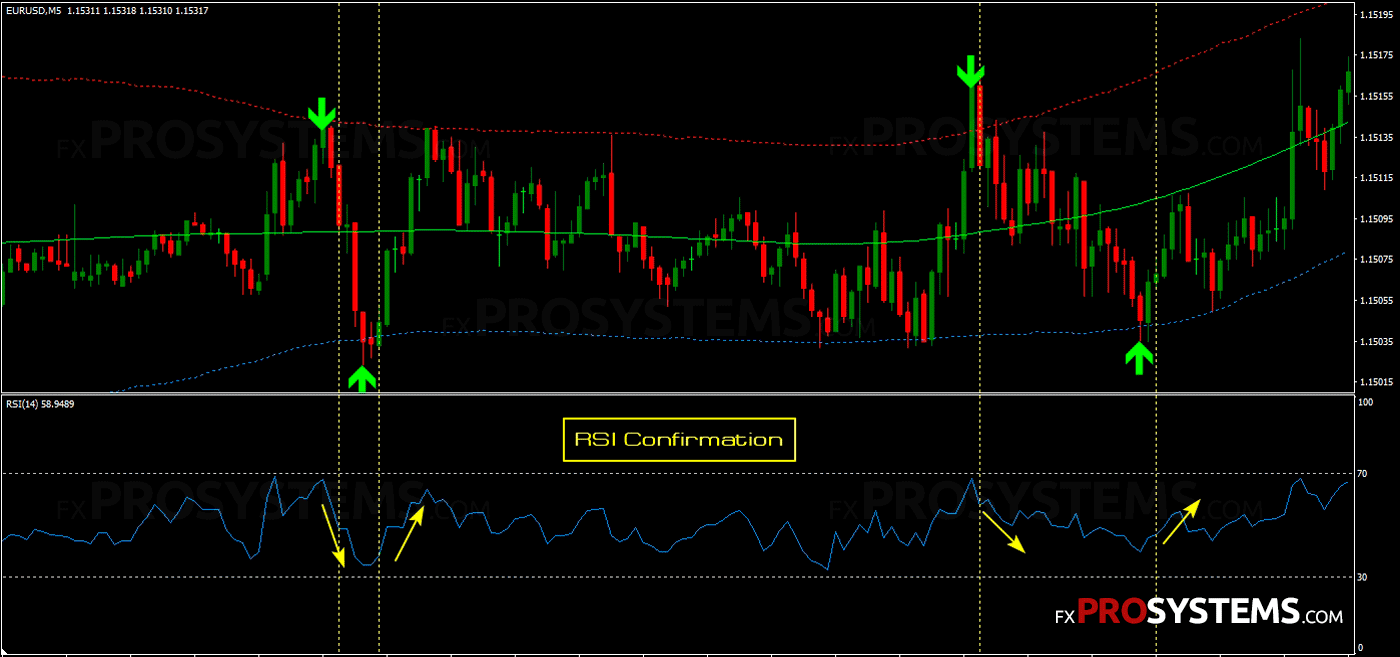
For confirmation, pair Ultimate Arrows with a non-repainting trend or momentum indicator (an RSI or a moving-average-based filter both work well) and only act on an arrow once your second indicator agrees with the direction. This single change addresses most of the false signals.
Frequently asked questions
No. It's built for MetaTrader 4 on desktop only — there's no mobile version, and MT4's mobile apps don't support custom indicators of this kind.
Not in the version distributed here, though this has been one of the most requested features in the comments for years. If you're comfortable with MQL4, the alert logic is a relatively small addition to the existing code; otherwise, watch the chart manually or pair the indicator with a separate alert utility.
This follows directly from the repainting behavior explained above — since arrows can be redrawn as new swings form, there's no fixed historical record to display without misrepresenting what the indicator "knew" at the time.
Functionally, yes — it's built on ZigZag logic. The practical difference is that Ultimate Arrows displays clean buy/sell arrows instead of connecting lines, which makes it easier to read at a glance.
In the archives Ultimate_Arrows.rar (37.6 Kb):
- Border ligns.ex4
- Ultimate Arrows.ex4
- Ultimate Arrows.mq4
- ultimate arrows.tpl
Free Download Ultimate Arrows